Table of contents
How to update the publication page?
-
The publications are fetched from PubMed. Search the name (Niranjan Nagarajan) and save the results to a summary file by clicking the
Savebutton on the top left, and select to save all the abstracts.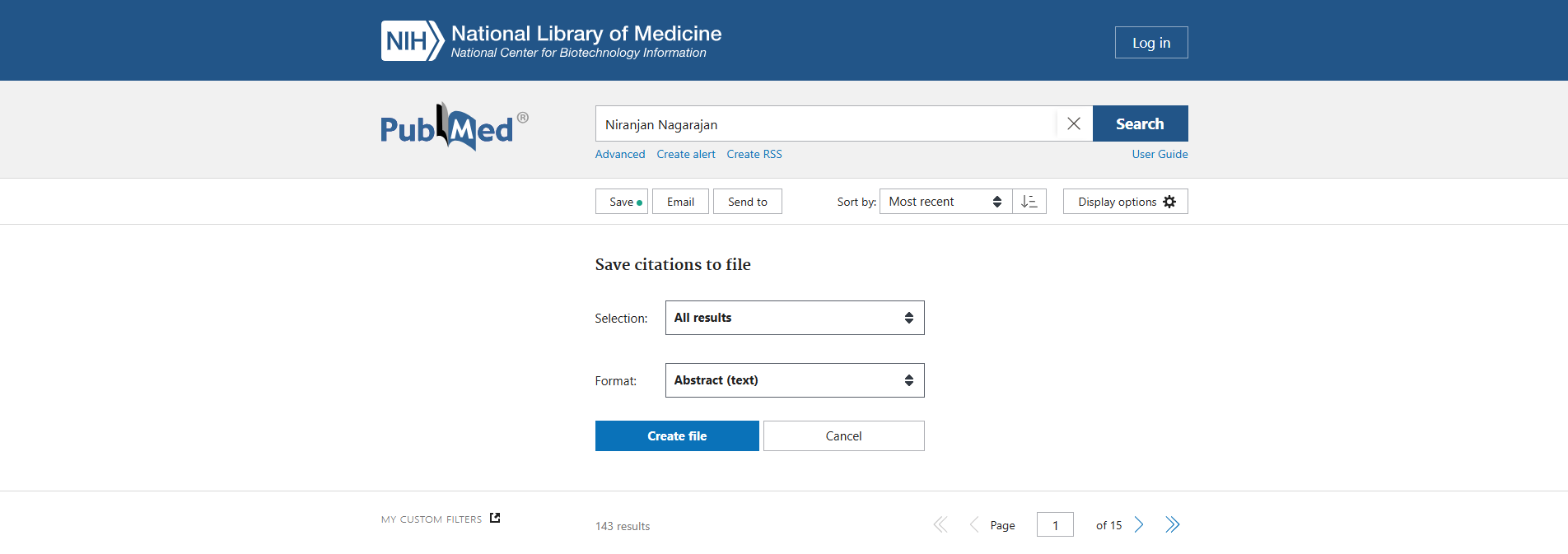
A file named
abstract-NiranjanNa-set.txtwill be downloaded. Copy this file topublications/in this code repository. You can also update the existing abstract filepublications/abstract-NiranjanNa-set.txtby simply copy and pasting the new abstract to the beginning of the file. -
Run the python script to convert the abstracts to a YML file. Under the root directory of this repository, run
python publications/pubmed_abstracts_to_yml.pyThe output YML file will be in
_data/publications.yml. The keyword tags are automatically assigned based on the abstract of each article, using thekwmapvariable in the scriptpubmed_abstracts_to_yml.py.
How to update the resource page?
The resources are currently hard-coded and have to be updated manually. The related data are located in
   _data/resources/software.yml
   _data/resources/pipelines.yml
   _data/resources/scripts_datasets.yml
and the corresponding webpages are located in
   _pages/software.html
   _pages/pipelines.html
   _pages/scripts_datasets.html
Update the YML file (following the existing examples) to update the corresponding webpage.